
Regional Launch Requirements
To release your mini game in certain regions, you may need to submit region-specific materials. This guide explains what materials to prepare, how to submit them, and how review works.
This process applies at the app level. If you want to release the same mini game in multiple regions, you must submit rating materials separately for each region.
Prerequisites
Before you submit launch materials, make sure the following items are ready:
- Your organization has completed business verification
- Your app's basic information has been submitted and approved
Launch regions
On your app page, go to Launch regions to find available regions and any launch requirements.
- Regions with no specific requirements: Brazil, Egypt, Indonesia, Iraq, Japan, Malaysia, Mexico, Myanmar, Pakistan, Philippines, Saudi Arabia, Thailand, Turkey.
- To launch in the United States, the United Kingdom, and the European Union, your organization must complete a specific launch approval process.
- To launch in Vietnam, you must obtain a G1 online game license issued by the Ministry of Information and Communications of Vietnam.
- To launch in France, Germany, South Korea, and the United Kingdom, you must submit age rating materials for your mini game.
Important: For apps intended to launch in the United States, United Kingdom, and European Union countries, the owning organization must undergo a data usage review to receive approval to launch in these regions. This approval takes place on the organizational level instead of the app level. Learn more about approval to launch in the U.S., UK, and EU.
Accepted age rating materials
Certain regions require specific types of age rating proof. You only need to provide one type of proof per region:
- A local age rating certificate
- Proof that the same game is already published in the local Apple App Store or Google Play store
Regardless of the type of proof, submissions should clearly show the following:
- Game name
- Age class
- Rating agency or rating system
- Name of the developer, publisher or rights holder
- Countries or regions where the rating applies
If the business entity associated with the provided age rating materials doesn’t match your verified business entity on the Developer Portal, you must submit an authorization contract that proves that both entities are associated with this game.
Region | Required age rating materials | Age class |
France | PEGI rating certificate, or proof the game is published on Apple App Store or Google Play in France | 3+, 7+, 12+, 16+, 18+ |
Germany | USK rating certificate, or proof the game is published on Apple App Store or Google Play in Germany | 0+, 6+, 12+, 16+, 18+ |
South Korea | GRAC rating certificate, or proof the game is published on Apple App Store or Google Play in South Korea | All, 12+, 15+, 19+ |
United Kingdom | PEGI rating certificate, or proof the game is published on Apple App Store or Google Play in the UK | 3+, 7+, 12+, 16+, 18+ |
Age rating certificates from the International Age Rating Coalition (IARC) are also accepted. Learn more about the IARC.
GRAC (South Korea)
The game content classification policy in South Korea is overseen by the Game Rating and Administration Committee (GRAC). According to official statements from GRAC, age classification labels and content description tags must be clearly displayed on game-related pages. Refer to the GRAC age rating explanation for more details.
If you choose GRAC age rating as your material type for South Korea, you must submit the following:
- RCN (Rating Classification Number)
- Age rating (All, 12+, 15+, 19+)
Classification tiers
Icon | Rating | Description |
 | ALL | Suitable for all ages. Appropriate for users of all age groups. |
 | 12+ | Ages 12 and up. Suitable only for users aged 12 and above. |
 | 15+ | Ages 15 and up. Suitable only for users aged 15 and above. |
 | 19+ | Ages 19 and up. Minors are not permitted to use. |
Content descriptors
Icon | Tag | Description |
 | Sexuality | Content related to sexuality, sexual innuendo, depictions of sexual acts, or expressions that may evoke sexual associations. |
 | Violence | Contains depictions of fighting, harm, killing, bloodshed, or other forms of violence. |
 | Fear, Horror, Threatening | Contains visuals, sounds, or story elements with strong horror, shock, threat, or oppressive undertones. |
 | Language | Contains vulgar, insulting, offensive or inappropriate language. |
 | Alcohol, Tobacco, Drugs | Contains references to, depictions of, or implications involving alcohol, tobacco, drugs, or their use. |
 | Crime, Anti-societal messages | Content that involves criminal, antisocial, or illegal acts, or encourages inappropriate social behavior. |
 | Gambling | Includes gambling, betting, lottery mechanisms, or campaign mechanics and expressions that could be easily interpreted as gambling. |
PEGI (UK and France)
The age classification of video games in the UK and France follows the PEGI (Pan European Game Information) system. PEGI uses both age classification and content descriptor labels to explain the reasons for the rating and associated risk factors. Refer to the PEGI age label explanation for more details.
If you choose PEGI age rating as your material type for the UK and France, you must submit the following:
- PEGI age rating document (PDF)
- Age rating (3+, 7+, 12+, 16+, 18+)
Classification tiers
Icon | Rating | Description |
 | PEGI 3 | Suitable for all ages. Must not contain any visuals or audio effects that could frighten young children; the characters depicted must be entirely fictional and must not be associated by children with real people. The app must not include any audio or visual elements that could scare children, nor may it contain vulgar language. |
 | PEGI 7 | If any app would normally be classified as age rating PEGI 3 but contains scenes or sounds that are likely to scare children, it may be considered for this category. PEGI 7 apps may only contain extremely mild violence, such as suggestive violence or unrealistic depictions of violence. |
 | PEGI 12 | Contains relatively detailed depictions of violence directed at fictional characters, suggestive violence directed at humanoid or animal characters, relatively detailed depictions of nudity, and simulated gambling. Any coarse language present in this category must be mild and non-sexual in nature. |
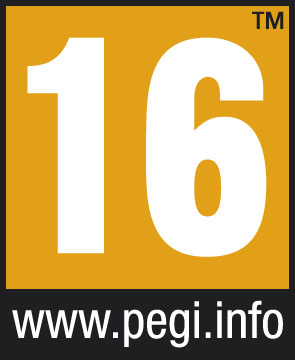 | PEGI 16 | This classification applies when depictions of violence or sexual acts reach a realistic level. Content in apps classified as PEGI 16 may contain strong offensive language, content that encourages users to smoke or take drugs, and depictions of criminal behavior. |
 | PEGI 18 | When app content depicts severe violence and/or contains specific types of violent elements, such as unmotivated killing, violence against vulnerable groups, or sexual violence, such apps will be classified as adult category. These apps may also include explicit pornographic content, discriminatory content, or content that glorifies drug use. |
 | Parental Guidance Recommended | Apps do not always contain deterministic content that can be pre-classified. For these types of apps, we use a Parental Guidance icon to alert parents that the app may contain content unsuitable for children, but may also feature other content appropriate for that age group (depending on how the user engages with it). |
Content descriptors
Icon | Tag | Description |
 | Violence | Contains depictions of violence. Different age tiers correspond to varying levels of violence intensity and realism. |
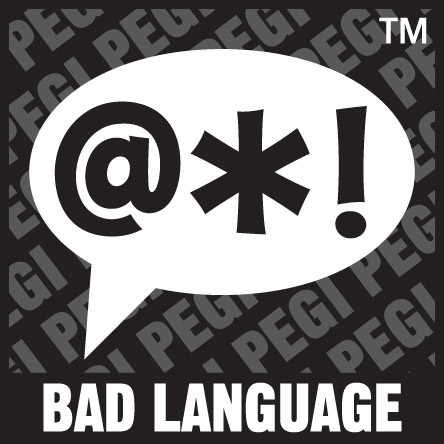 | Bad Language | Contains vulgar language. Mild bad language can be present in PEGI 12 rated content, while stronger language may appear in PEGI 16 rated content. |
 | Fear / Horror | Contains visuals or sounds that may be frightening to children; stronger horror content is allowed at higher age tiers. |
 | Gambling | Contains gambling themes or simulations. Content featuring realistic gambling simulations is typically assigned to a higher age tier. |
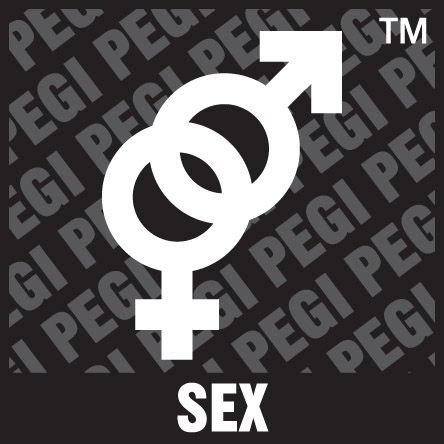 | Sex | Contains sexual gestures, sexual innuendo, erotic nudity, or depictions of sexual acts. |
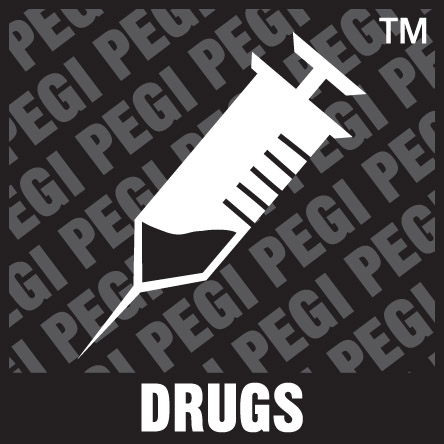 | Drugs | Content that involves or depicts the use of illegal drugs, alcohol, or tobacco. |
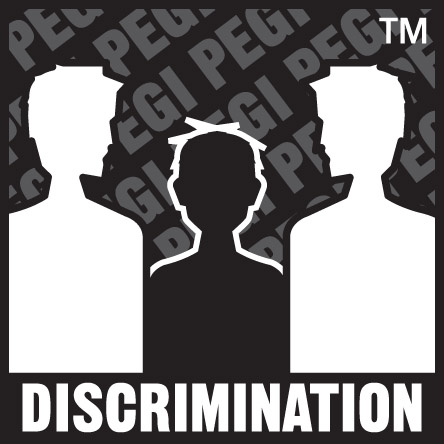 | Discrimination | Contains discriminatory stereotypes or expressions that may incite hatred; typically only rated PEGI 18. |
USK (Germany)
Germany uses the USK (Unterhaltungssoftware Selbstkontrolle) system for game age classification. In addition to age classification, the USK also provides "classification reason labels" that explain the sources of risk and functional features. Refer to the USK age rating explanation for more details.
If you choose USK age rating as your material type for Germany, you must submit the following:
- USK age rating document (PDF)
- Age rating (0+, 6+, 12+, 16+, 18+)
Classification tiers
Icon | Rating | Description |
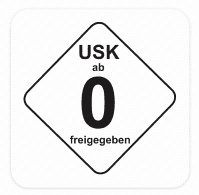 | USK 0 | All ages. Apps in this category have no age restrictions, and their content does not raise youth protection concerns. These apps are suitable not only for children and adolescents but also for adult audiences. Examples include utility apps, product catalogs, and tool applications. Social networks where all user-generated content is thoroughly reviewed, filtered, or moderated also fall into this category. |
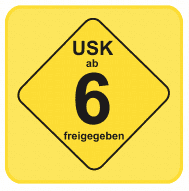 | USK 6 | Ages 6 and up. Apps in this category may contain elements that may not be suitable for preschool children, including occasional frightening imagery, mild profanity, or subtle sexual innuendo. If violence is present, it is typically depicted in an abstract manner and does not have a defining impact on the product's overall character. Games in this age category can still be classified as family-friendly but feature more stimulating content and greater competitive detail. |
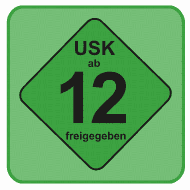 | USK 12 | Ages 12 and up. Apps in this category may include horror elements, shocking effects, some explicit language, sexual content, or occasional violent imagery that could negatively affect young children. Games in this category may involve more competitive detail and feature intense, thrilling content. Note that social networks or user-generated content may typically raise youth protection concerns. |
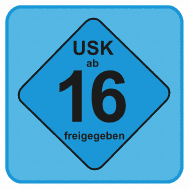 | USK 16 | Ages 16 and up. This category includes apps featuring realistic violent scenes, various thriller and horror elements, frequent profanity, or implicitly sexual content. Games in this category commonly involve armed combat, narrative-driven storylines, and military missions. Genres in this category include action-adventure games, military strategy games, and first-person shooter games. |
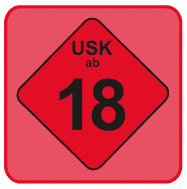 | USK 18 | Ages 18 and up. In addition to drug-related content, realistic and explicit violence is the most common reason apps are classified as suitable for ages 18 and up. Games in this age category typically involve violent game concepts, and violence is the primary focus of the gameplay. |
Content descriptors
Tag | Description |
Implied violence | Depictions of abstract or non-realistic violence, where actual harm or injury details are usually not visible. |
Comic violence | Violence that takes place in an artificial or cartoonish environment, with exaggerated and unrealistic effects. |
Fantasy violence | Violence that takes place in magical, fairy-tale, or futuristic settings is clearly distinct from reality. |
Violence | Contains strong depictions of violence that may feel realistic. |
Explicit violence | Violent content is presented in a clearer, more intuitive manner, or is displayed with obvious intensification. |
Sexualized violence | Contains depictions of violence with sexualized undertones. |
War themes | Set primarily against a war backdrop, the depiction of weapon use and violent scenes forms a core component of the work. |
Scary moments | Contains sudden scares, horror elements, or effects that may upset children. |
Dark atmosphere | The overall atmosphere is oppressive, dark, menacing, or unsettling. |
Horror | Contains explicit depictions of horror or disturbing content. |
Burdensome themes | Covers topics with heavy emotional weight, including death, bullying, and addiction. |
Sexual innuendo | Contains sexual innuendo, sexualized gestures, or suggestive language. |
Sexual content | Includes suggestive themes or more explicit depictions of sexual acts. |
Occasional swearing | Contains profane or curse language. |
Explicit language | Contains more vulgar and intense inappropriate language. |
Tobacco use | Positive or frequent depictions of smoking or tobacco use. |
Drugs | Depicts drug use or drug-related behavior in a positive or frequent manner. |
Alcohol | Positive or frequent depictions of alcohol drinking or alcohol consumption. |
Gambling themes | Contains gambling themes, casino atmosphere, or may lead users to form a positive perception of real gambling. |
Pressure to act | Features intense combat, dense enemy encounters, or a high-pressure cadence that may cause sustained tension and action-related stress. |
Increased incentives to buy | Includes predatory monetization mechanics such as a complex ShopTab, pay-to-win mechanics, or aggressive pop-ups for limited-time offers. |
Pressure to play excessively | Involves pressure for prolonged play or repeated reactivation, such as push notifications, season passes, daily check-ins, return rewards, or penalties for failing to re-engage. |
Problematic advertising content | The advertising content itself poses a higher risk to minors than the core content of the game entity. |
Increased communications risks | Open chats or comments lack sufficient filtering, reporting, or moderation capabilities, posing a risk of inappropriate communication. |
Contact risks | It may expose information such as real names and locations, posing a risk of unsafe contact. |
Criminal role models | Excessively downplays, glorifies, or romanticizes criminal acts or criminal organizations. |
Sexualized role models | Presenting sexualized behavior, aesthetics, or stereotypical gender roles in an uncritical manner. |
Apple App Store or Google Play link
You can also choose to submit an Apple App Store or Google Play link for the game in the selected region. The link you provide must contain region parameters.
- App Store or Google Play link for the game in the target region
- Age rating (depends on region)
For example, the following links would work for a mini game in France:
- Apple App Store link: https://apps.apple.com/fr/app/examplegamename/id9999999999
- Google Play link: https://play.google.com/store/apps/details?id=com.examplegamename&hl=en&gl=FR
To find your game link, go to the Google Play or App App Store for your intended launch region, search your game, then copy the URL.
Region | Apple App Store | Google Play |
France | https://apps.apple.com/fr/iphone/games | https://play.google.com/store/games?hl=en&gl=FR |
Germany | https://apps.apple.com/de/iphone/games | https://play.google.com/store/games?hl=en&gl=DE |
United Kingdom | https://apps.apple.com/gb/iphone/games | https://play.google.com/store/games?hl=en&gl=GB |
South Korea | https://apps.apple.com/kr/iphone/games | https://play.google.com/store/games?hl=en&gl=KR |
Authorization contract for nonmatching entities
If the entity shown on your rating certificate or store listing is different from your verified business entity, you must upload an authorization contract.
The authorization contract should be a PDF file, up to 10 MB, 1 file, with a maximum of 30 pages.
Acceptable documents include:
- Proof of the relationship between the two entities
- Registration documents showing the same legal representative
- A game publishing and operation authorization letter
Tip: Reach out to your operations representative at TikTok for an authorization letter template.
Be aware of the following scenarios when preparing your document:
- Multi-level authorization chains: If there are multiple levels of authorization (for example, IP holder A grants authorization to distributor B, who then grants authorization to the onboarding entity C), it is required to submit every authorization document in the complete chain and conduct verification level by level:
- The authorizer at each level holds the corresponding rights.
- Each level of authorization includes a "sub-licensable" permission, or the final document is issued directly by the original rights holder to the onboarding entity.
- Escalate when in doubt: For substantive issues such as the authenticity of authorization documents and the validity of seals or signatures, no judgment will be made during formal review. If there are obvious signs of forgery or suspicious circumstances, the platform will reject the submission and take further action against the mini game.
Review criteria for authorization contract
Number | Criterion | Moderation key points | Remarks | Rejection scenarios |
1 | Information of both entities | The document must clearly specify the licensor (the rights entity stated on the age classification certificate/copyright materials) and the licensee (the developer entity that has completed onboarding to TikTok for Developers) full legal names. | The names of both parties shall match exactly with the entity name on the qualification documents and the TikTok for Developers verified business entity name respectively. If the qualification documents belong to the parent company or IP holder, while the onboarding entity is a subsidiary/distributor, the authorizing party must be the parent company/IP holder (or provide proof of the sub-licensing chain). |
|
2 | Licensed subject matter: Game title | The document must clearly specify the specific game for which listing is being applied for, including at minimum the game title, which must be consistent with the title of the game submitted for review and the title on the age classification certificate. | If there are aliases or different names used on different platforms, it is recommended to list them in the document (not mandatory). |
|
3 | Authorized rights scope: Distribution, operation, and listing | The document must explicitly grant the authorized party the right to release, launch, operate, and promote the game on the TikTok platform (or TikTok mini games), or include equivalent wording (for example: "publish, operate, and distribute the game on TikTok"). | Applications that only include single creative authorizations such as "trademark authorization", "music authorization", or "IP adaptation authorization", but do not authorize distribution and operation, will not be approved. |
|
4 | Authorized platform: Covering TikTok | The platforms or channels authorized for use in the document must explicitly include TikTok, or use expressions such as "TikTok for Developers" and "TikTok mini games" that semantically cover TikTok. | -- |
|
5 | Authorized territory: Covers the target launch countries | The authorized territory must cover the target countries or regions for which the listing application is submitted this time (for example, if the application is for listing in KR/UK/FR/DE, the authorized territory must include at least these four countries, or be "Worldwide"). | -- |
|
6 | Authorization validity period: Valid with a remaining term of ≥ 3 months | The document must clearly state the authorization period (start date and expiration date, or expressions such as "perpetual" or "during the game operation period"). The document must still be valid on the moderation date, with the remaining validity period from the moderation date no less than 3 months. | "Auto-renewal" is considered valid on a long-term basis. |
|
7 | Signing into effect: Signature or seal of the authorizing party | The document must bear the signature or seal of the authorizing party. Entities in China must affix their official seal or contract seal; non-China entities must be signed by their authorized representative. | If the document itself is an "authorization letter/authorization statement" issued unilaterally by the authorizing party (similar to a unilateral power of attorney), it is acceptable only with the signature of the authorizing party, provided that the identity of the authorized party can be clearly identified. It is recommended that both parties sign. |
|
Submit region-specific launch materials
To submit region-specific materials in the Developer Portal, go to your app page:
- Proceed to submit the material type that matches your region and your available proof:
- South Korea: GRAC or link to local store listing
- United Kingdom: PEGI or link to local store listing
- France: PEGI or link to local store listing
- Germany: USK or link to local store listing
- Vietnam: Game license number
Step 1: Open launch regions management
After you've submitted your app's Basic information, go to the Launch regions page for your app. This page is where you can view supported release regions and manage whether your app can be released in each region.
Step 2: Select a release region
Under the Regions tab, regions that require materials display "Conditional" launch eligibility.
Click Launch requirements next to the region to navigate to material submission.
Regions that require launch materials:
- France
- Germany
- South Korea
- United Kingdom
- United States
- Vietnam
Alternatively, you can go to the Regional launch materials tab to find the material submission entry points.
Step 3: Choose the material type
Select the material type that matches your region and your available proof:
- France: PEGI or link to local store listing
- Germany: USK or link to local store listing
- South Korea: GRAC or link to local store listing
- United Kingdom: PEGI or link to local store listing
- United States: Approval to launch in the U.S.
- Vietnam: Game license number
Step 4: Fill in the required fields
The form fields change based on the selected region and material type. Submit all required information for that specific combination.
Depending on the material type, you may need to provide items such as:
- Certificate number or license number
- Age rating
- Store listing URL
- Screenshot from the official rating site or store page
- Supporting attachments
- Authorization agreement, if the legal entity does not match your verified business entity
Make sure all information is complete and readable. Incomplete or unclear submissions can delay review.
Step 5: Submit for review
After you click Submit, your materials will be sent to TikTok's operations team for review.
Status | What it means |
In review | Your materials are being reviewed by the operations team. |
Approved | Your materials passed review. The region is now available for release. |
Couldn't verify | The review team could not verify your materials. You can resubmit with updated information. |
Rejected | Your submission was rejected. You cannot resubmit for this organization. |
Step 6: Change launch status after review
Once your materials are approved for a region, that region's launch eligibility changes to "Allowed with conditions".
You can then go to the Regions tab and switch the region's Status toggle to Online to make your game available there.
If your submission for a region could not be verified, review the reason provided, update your information, and then submit again.
If your submission for a region is rejected, that region cannot be released and the app cannot continue submitting rating materials for that region until the status changes.
Review criteria
TikTok reviews the submitted materials to confirm that the game can be released in the selected region. Review checks include the following:
Certificate validity
The submitted age classification certificate must be valid in the selected countries.
- If you are using an official rating authority, please ensure that the submitted age classification is valid in the selected country. Different countries use different rating systems: the PEGI rating applies to the UK and France; the USK rating applies to Germany; the GRAC rating applies to games in South Korea.
- If you are rating via an app store (Google Play or App Store), please submit the link to the game listed in the corresponding country.
Game consistency
The game stated in the age classification certificate must be identical to the game submitted to the TikTok platform. The platform will verify the classification certificate against the following details: game title, game icon, and app store link. If the game uses different titles on different platforms, please provide store links, backend screenshots, or other supporting materials to prove that these titles refer to the same game.
Entity consistency
The developer, publisher, or rights entity specified in the rating certificate must be consistent with the entity that completed onboarding on the TikTok platform.
If the rating is held by a parent company, subsidiary, publisher, or IP owner, please also submit materials proving the relationship between the parties.
Common rejection reasons
Age classification materials may be rejected for the following reasons:
- Failure to submit the corresponding age classification certificate
- The submitted rating is not applicable to the target country
- The rating materials correspond to other games
- The game name or developer information does not match
- The relationship between the rating holder and the onboarding entity cannot be confirmed
- The screenshot is incomplete or the rating information cannot be verified
- The rating has expired or been revoked
- The current game content is clearly inconsistent with the submitted age rating
You may be required to provide additional proof, update the age classification, or resubmit your materials for review.