
Mini Drama Player Error Codes and Troubleshooting
Handle playback errors in Mini Drama Player, measure your playback failure rate, and diagnose failures with the player's error codes. Start with the veErrorCode from the error event, then follow the checks for that code.
The detailed codes that replace the general 9399 code require TikTok 47.5.0 or later, with compatible TikTok Minis SDK and VePlayer versions. Earlier versions can still report 9399. Use the code the player reports. This requirement doesn't apply to general codes such as 2100 and 5104.
Listen for errors
Register an ERROR listener as soon as you create the player. If you register a new listener when you switch episodes, do it before you call playNext, so you capture errors while the player retrieves the next episode's information.
playerSdkIns.on(VePlayer.Events.ERROR, (error) => {
  if (!error) return;

  switch (error.veErrorCode) {
    case 9301:
      // Check playback parameters such as albumId and episodeId
      break;
    case 9308:
      // Check the playAuthToken required by TikTok versions earlier than 44.5.0
      break;
    case 9311:
      // Episode information was retrieved, but the playback list is empty.
      // Check the returned resources and the format and quality selection.
      break;
    case 9312:
      // Retrieving episode information timed out after retries.
      // Check connectivity and the app's state.
      break;
    case 2191:
      // The playback URL expired. Get a valid URL before you retry.
      break;
    default:
      // Check the error description, the request result, and the error code tables
      break;
  }
});
A pause, buffering, or a gap in time updates doesn't on its own indicate a failure. Generic messages such as "Video isn't available" don't identify the cause. Use the error event's fields.
Error fields
Available fields vary by SDK version and playback path, and some can be empty.
Field | Description |
| The player's error code. Use it to classify and handle errors. |
| The error category. |
| The description of |
| An underlying or mapped error code. It can differ from |
| The underlying error description. Can be empty. |
| The HTTP status code, such as |
| The message shown to the viewer. It can be localized, so don't use it in application logic. |
| The browser media error, including its code and description. |
| Diagnostic information, such as the original stack trace. Can be empty. |
| Extended error information. Its structure depends on the error source. Short drama diagnostics are in |
| The VePlayer SDK version. |
| The playback position when the error occurred. |
| The video context, such as the video ID and format. |
Handle errors by veErrorCode. Don't match description text, and don't interpret errorCode or httpCode with the veErrorCode tables. For example, veErrorCode 2191 means the playback URL expired, while httpCode 403 means the request was denied. A 403 on its own doesn't prove expiry. Check authentication, the signature, and the expiry time.
Measure your playback failure rate
A single playback session can fire ERROR several times. To count each failed session once, listen for the first error with once, and record the failure immediately without waiting for recovery.
Generate a playSessionId for each session. The player doesn't provide one. A video or episode ID isn't enough, because the same video can play more than once.
Scenario | Session ID |
First playback of a video | New ID |
Switching episodes, replaying, or starting a new session | New ID |
Resuming after a pause | Same ID |
More errors in the same session | Same ID |
Record one result per session:
Scenario | What to record |
First | A failure, with its error code. |
More errors or recovery after a failure was recorded | Nothing. Don't count it again or reverse it. |
Playback ends, episodes switch, the player is destroyed, or the user leaves the page, with no result recorded | One no-error result. |
The same issue triggers both | One failure. |
A no-error result means no error occurred before the session ended. It doesn't mean the viewer watched the whole video.
The following example generates session IDs, records the first error, and prevents duplicate results. Implement reportPlaybackResult to send results to your server.
function createPlaybackStats(player, reportPlaybackResult) {
  let currentSession = null;

  function finish(session, reason, error) {
    if (!session || session.reported) return;

    // Mark the result before reporting to prevent duplicate submissions
    session.reported = true;
    player.off(VePlayer.Events.ERROR, session.onError);

    reportPlaybackResult({
      playSessionId: session.id,
      failed: reason === 'error',
      reason,
      veErrorCode: error?.veErrorCode,
      errorCode: error?.errorCode,
      httpCode: error?.httpCode,
      playerVersion: error?.playerVersion,
    });
  }

  return {
    begin() {
      // Settle the previous session and remove its listener
      finish(currentSession, 'next');

      const session = {
        id: crypto.randomUUID(),
        reported: false,
        onError: null,
      };

      session.onError = (error) => {
        finish(session, 'error', error);
      };

      currentSession = session;
      player.once(VePlayer.Events.ERROR, session.onError);
      return session.id;
    },

    end(reason) {
      finish(currentSession, reason);
    },
  };
}

// Deduplicate by playSessionId on your server
const stats = createPlaybackStats(playerSdkIns, reportPlaybackResult);

// Initial playback: call right after you create the player
stats.begin();

playerSdkIns.on(VePlayer.Events.ENDED, () => {
  stats.end('ended');
});

// Start a new session before you call playNext
async function switchEpisode(nextPlayOptions) {
  stats.begin();

  try {
    await playerSdkIns.playNext(nextPlayOptions);
  } catch (error) {
    // Handle the failed switch, such as restoring the button state.
    // Don't count the failure again if it also triggered ERROR.
  }
}

// Call before your app destroys the player
function beforePlayerDestroy() {
  stats.end('destroy');
}

// Call when your app leaves the playback page
function beforeLeavePlaybackPage() {
  stats.end('leave');
}crypto.randomUUID()requires runtime support. You can use your own UUID generator.- The example assumes one player and sequential episode switches. Track each player separately if you use more than one.
- Call
begin()before a replay or a new session, but not when resuming after a pause. - Connect
beforePlayerDestroy()andbeforeLeavePlaybackPage()to your app's actual destroy and exit flows. - Your diagnostic
onlistener can coexist with thisoncelistener, but only one should count failures.
Calculate the failure rate as follows:
Playback failure rate = failed sessions ÷ sessions with a recorded result
For example, if one session fires ERROR three times, then recovers and finishes, record one failure. Sessions still in progress aren't counted. If a report fails to reach your server, retry with the same playSessionId, and deduplicate on the server.
Show errors to viewers
Show viewers a short, actionable message, such as "Playback failed. Please try again." or "This episode is unavailable." Don't show raw errors or stack traces.
Error details can contain playback URLs or credentials. Remove tokens, URL signatures, and keys before you log or share them.
Error codes
General playback errors
The following codes come from the BytePlus Web Player SDK. For the full list, see the Web Player SDK > veErrorCode section of BytePlus error codes.
Error code | Description | Resolution |
| A network request failed or timed out. | Check connectivity, failed resource requests, and CORS configuration. If it persists on a healthy network, collect logs for support. |
| The resource request was denied. | Check authorization and resource validity. Contact support if platform resources are repeatedly denied. |
| The resource protocol doesn't meet the page's security requirements. | Check for HTTP resources on an HTTPS page. Contact support if a platform resource is affected. |
| The playback resource expired ( | Get a valid resource through the supported playback flow. |
| Encrypted video playback failed. | Check the video's processing status, and keep the error and failed requests. This code alone doesn't mean the key expired. |
| The video can't be decoded, or the resource is unavailable. | For |
| The browser couldn't prepare the playback buffer. | Check codec and browser compatibility, and report the device, OS, and format to support. |
Retry a limited number of times after connectivity returns. Fix parameter, review, publishing, or format issues first. Don't recreate the player on every error.
Parameter and review status errors
Error code | Description | Resolution |
| The playback parameters are invalid, or the environment isn't supported. | Get the player with |
| The episode wasn't found. | Check the episode identifiers, environment, and version. Confirm the episode exists and your mini app can access it. |
| The episode hasn't been submitted for review. | |
| The episode is under review. | Wait for the result, and don't recommend the episode yet. |
| The episode failed review. | Check the rejection reason, update the content, and resubmit. |
| The episode's review was withdrawn. | Resubmit the episode and wait for the result. |
| Required playback information is unavailable. | Check the upload and processing status, and the video linked to the episode. |
| The playback token is invalid or expired. | For TikTok versions earlier than 44.5.0, get a new playback token for the mini app and episode. |
| The episode hasn't been published. | Confirm the episode was approved and published, and check the version being played. |
Episode information request errors
Error code | Description | Resolution |
| The player timed out waiting for episode information. | Check connectivity and the app's state, including whether the page closed or went to the background. |
| An error occurred while retrieving episode information. | Reproduce with the official SDK and player setup, and record the steps. |
| Episode information can't be retrieved in this environment. | Run the mini app in TikTok. Check the app and SDK versions and the mini app configuration. |
| The episode information request timed out. | Check connectivity and retry after it recovers. Note whether timeouts occur on a healthy network. |
| A network request failed for an unconfirmed reason. | Check connectivity, proxy, and VPN settings, and compare another network. |
| The server rejected the request or returned an error status. | Check the HTTP status and error details for authorization, rate limiting, or service errors. |
| The platform couldn't complete the request. | Use the additional error code and message to check the mini app or content configuration. |
| Episode information couldn't be retrieved, for an unclear reason. | Keep the error, versions, and network conditions. Check whether a healthy network reproduces it. |
| Episode information couldn't be retrieved. A general fallback code. | Check the client and SDK versions, mini app, episode, and environment. This code doesn't identify a single cause. |
Playback information and resource errors
Error code | Description | Resolution |
| The episode's playback list is empty. | Check upload, transcoding, and resource generation. Play the episode when resources are ready. |
| No valid episode information was received. | Confirm the episode is available, and reproduce with the official SDK. |
| The episode information can't be used for playback. | Check resource processing, and compare other published episodes. |
| The review status couldn't be confirmed. | Check the review result and version. |
| The playback information is invalid. | Confirm video processing is complete and the video is linked correctly. |
| The playback resource list is missing. | Confirm the episode has playable resources. |
| The playback resource list is invalid. | Compare this episode and others with the official SDK, and keep the results. |
| The playback list has no usable entries. | Check video processing, and compare other published episodes. |
| The playback resources have no playback URL. | Confirm processing is complete, and note whether only one episode is affected. |
| Playable resource information couldn't be prepared. | Record the format, quality, and other settings, and reproduce with the recommended configuration. |
| An error occurred while preparing playback information. | Reproduce with the official SDK and recommended settings, and record the steps. |
| The episode information response is missing required data. | Check that the episode exists and its review and publish status are correct. |
Content access and service errors
Error code | Description | Resolution |
| Your mini app isn't authorized for the episode. | Check the mini app, episode ownership, authorization, and test or production environment. The same checks apply to "Client key not match" errors. |
| The mini drama doesn't exist or was removed. | Check the |
| The review result is temporarily unavailable. | Confirm the version has completed review. |
| The review result doesn't match the current version. | Check that the published version matches the episode configuration in your mini app. |
| The episode can't play from this entry point. | Check the mini app and episode associated with the entry point, or show an unavailable message. |
| TikTok removed the episode. | Stop recommending or playing the content, and follow the platform notice. |
| The service couldn't complete the content query. | Show a temporary failure message. Record the time, episodes, and affected users. |
| The service is temporarily unavailable. | Ask the viewer to try later. Note whether it persists on a healthy network or affects several episodes. |
| The episode isn't eligible for playback yet. | Check the review result and version. |
Network and connection errors
Error code | Description | Resolution |
| Establishing the connection timed out. | Check device connectivity and retry on a working network. |
| Reading the response timed out. | Check network stability, and note whether specific times or episodes are affected. |
| Sending the request timed out. | Check uplink connectivity, and retry after the network stabilizes. |
| The DNS query timed out. | Confirm internet access and any network sign-in, and compare another network. |
| Domain name resolution failed. | Check proxy, VPN, and custom DNS settings. Don't replace platform service addresses. |
| The device is offline. | Ask the viewer to reconnect, then let them retry. |
| The network changed during the request. | Record Wi-Fi, cellular, and foreground or background changes, and retry after the network stabilizes. |
| The connection failed or was interrupted. | Check proxies, VPNs, and network interception, and compare another network. |
| The secure connection or certificate validation failed. | Check the device time, test proxies, and interception certificates. Keep certificate verification on. |
| No valid response was received. | Record network and proxy conditions and the time, and check whether a healthy network reproduces it. |
| The response was incomplete. | Check for weak connectivity, network changes, and proxies. |
| The request was rate limited. | Reduce rapid player creation, episode switching, and large concurrent prefetch requests. Record the call timing. |
| A playback request was canceled. | Check whether page exits, episode switches, and player destruction were expected. |
Timeouts don't prove the device is offline. 9312 is a player wait timeout, while 9315 is a network request timeout. An HTTP 200 doesn't confirm the episode is playable. Also check authorization, review, publishing, and resource readiness.
Collect details for support
If a failure persists, contact TikTok technical support with the following information:
- The full error, timestamp, and time zone.
- The mini app and episode identifiers (
albumId,episodeId, andvid), and the playback parameters. - The TikTok app, OS, TikTok Minis SDK, and VePlayer versions.
- Reproduction steps and how many users are affected.
- For content issues, the platform status and version.
- For network issues, the region, network type, proxy or network changes, and whether a healthy network reproduces it.
Use the official TikTok Minis SDK in production: https://connect.tiktok-minis.com/drama/sdk.js. Use a test build only when support asks you to.
Get diagnostics from the error event
The ext.drama_info object contains additional diagnostics. Its fields vary by version and error type. Report what's available, and don't fill in missing values.
playerSdkIns.on(VePlayer.Events.ERROR, (error) => {
  const dramaInfo = error?.ext?.drama_info;
  console.error('[VePlayer diagnostics]', {
    veErrorCode: error?.veErrorCode,
    veErrorMessage: error?.veErrorMessage,
    playerVersion: error?.playerVersion,
    albumId: error?.videoInfo?.albumId,
    episodeId: error?.videoInfo?.episodeId,
    vid: error?.videoInfo?.vid,
    logid: dramaInfo?.logid,
    requestId: dramaInfo?.request_id,
    dramaInfo,
  });
});Get diagnostics from the console
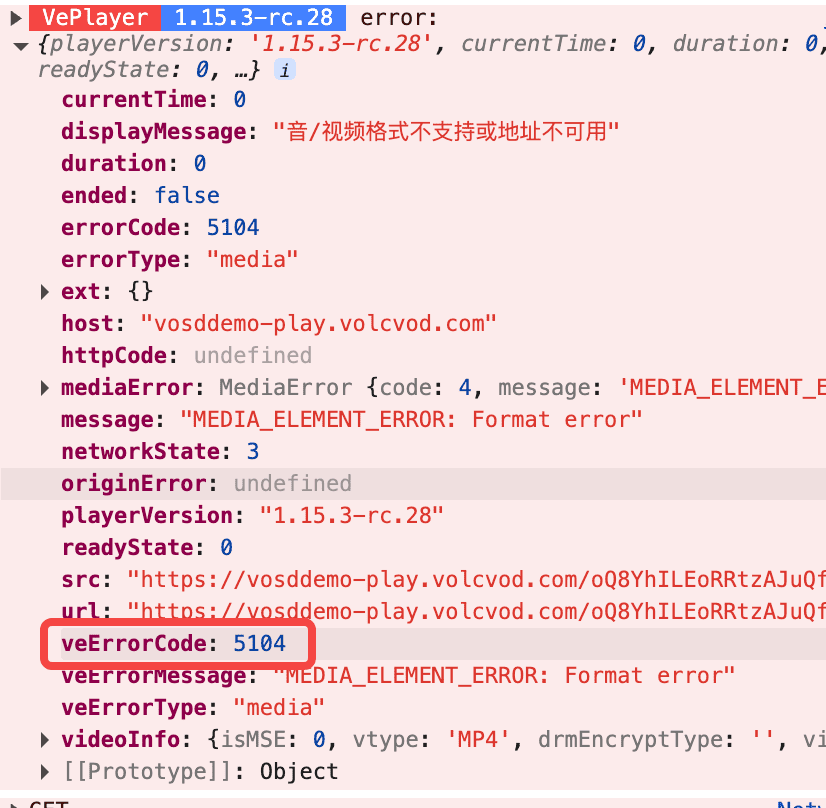
Keep the full console entry that contains veErrorCode. Expand the error object, then ext, then drama_info, and copy the whole object. If you share a screenshot, show every field and value.

The following table lists where to find each detail:
Information | Location | Purpose |
Error code and message |
| Identify the error category. |
Episode identifiers |
| Include |
Full diagnostics |
| Copy the whole object for support. |
Additional message |
| Shown as |
Original codes and HTTP status |
| Keep the reported values. |
Correlation IDs |
|
|
Timings and attempts |
| Timings are in milliseconds. |
Other diagnostics |
| Include them unchanged. |
Send the complete object from a single error event. Don't combine log IDs, timings, or errors from different requests. Redact credentials, tokens, signed URLs, and DRM data before you share them.
Troubleshooting
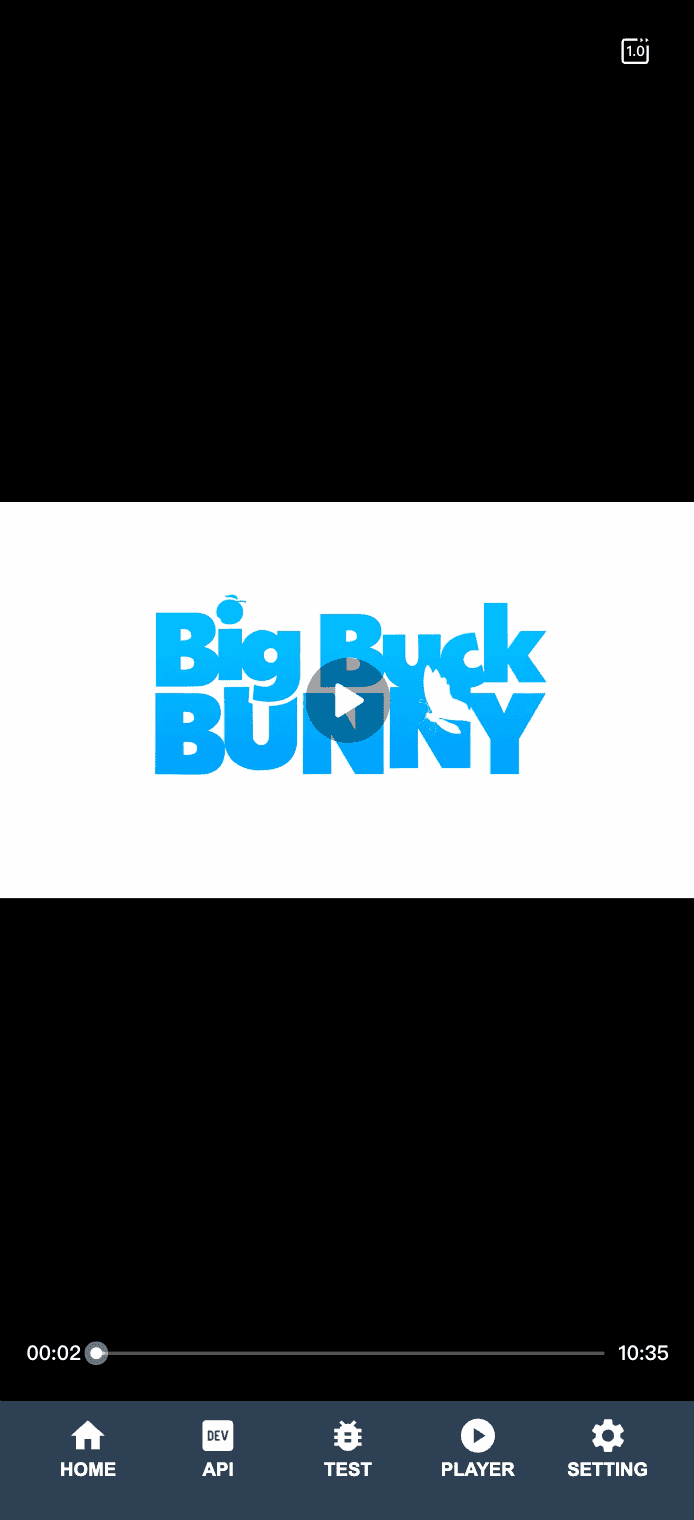
Desktop debugging plays the same sample video for every episode
The player retrieves playback information from the TikTok app. In a desktop browser, it can't reach the TikTok app, so it plays mock video data.
To resolve this, test in debug mode on a phone.
Note: Debug mode is available for Android only.
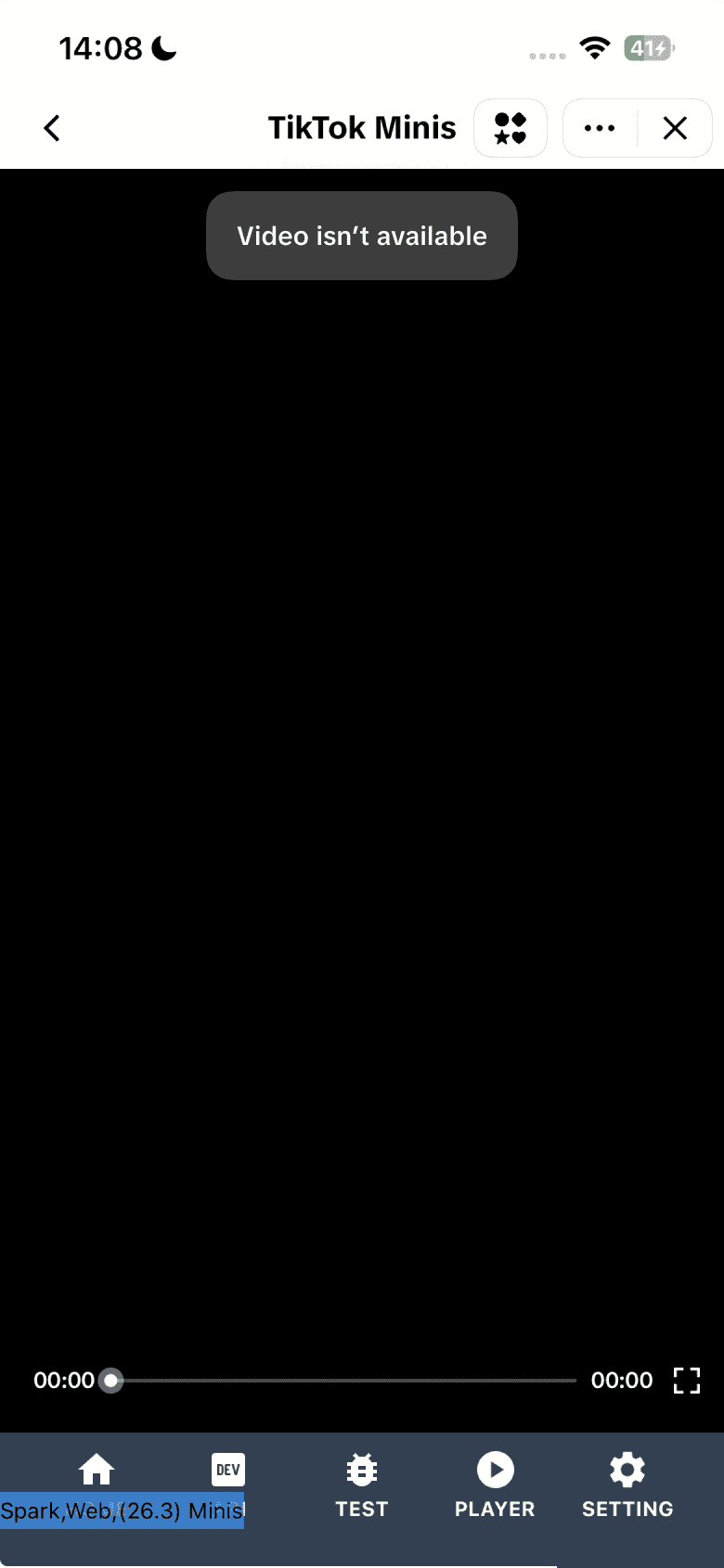
The player shows "Video isn't available"
The episode can't play, usually because of its review or publish status.
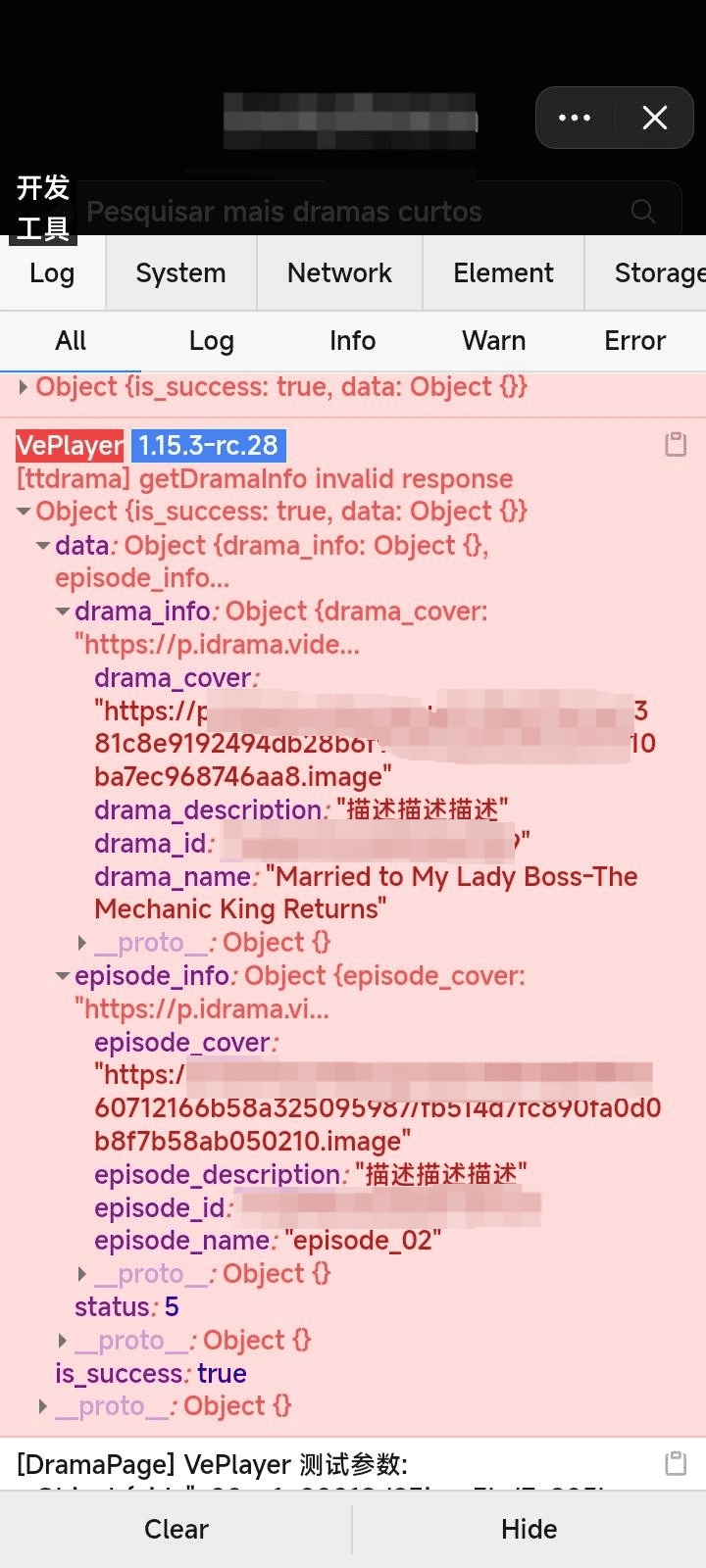
To resolve this, check the ERROR event or the console entry, and expand ext.drama_info. If review_status is present (older logs can show data.status), use the following table. Don't assume the episode is approved if the field is missing.
Status | Description |
| Not submitted for review. |
| Under review. |
| Failed review. |
| Review withdrawn. |
| Not listed. |
Then follow the checks for the reported veErrorCode in Error codes. Older clients can report only 9301–9308, 9310, and 9399. Record the versions and diagnostics, and don't infer a cause from a generic message.
Playback fails in debug mode with a network error
The phone or computer can't reach the network, or their regions don't match.
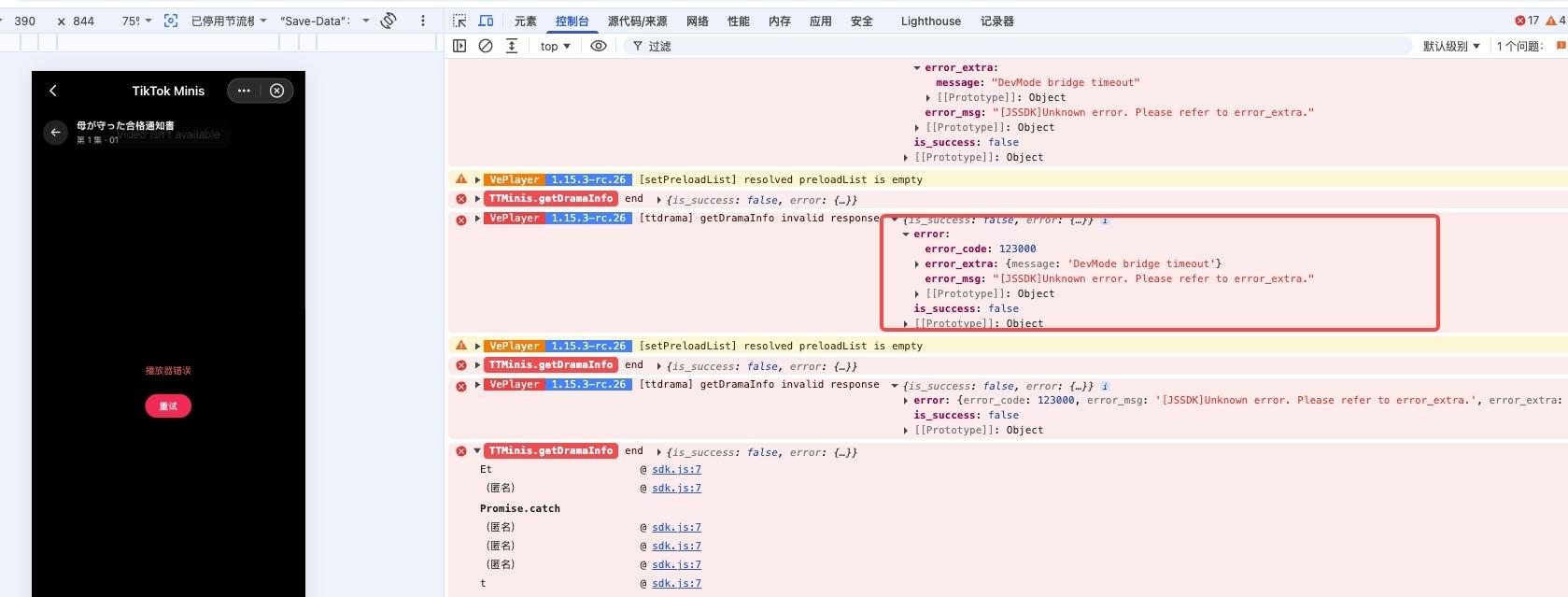
To resolve this, follow the debug mode instructions and check the following:
- Your computer and phone are on the same Wi-Fi network.
- Both devices can reach the internet.
- The mini app's release region, your app store account region, your TikTok account region, and your proxy region are the same.
If the problem persists, connect both devices to another phone's hotspot instead of Wi-Fi.
The video query succeeds, but playback fails with 9399
9399 is a general fallback for failing to retrieve episode information. It doesn't by itself indicate a regional restriction, and a successful Query a Mini Drama Video call doesn't prove the player got valid playback data.
To resolve this, check that the account region is within your mini app's release scope, then check the versions, the request stage, and the diagnostics. Correlate the request_id, episode identifiers, and timestamp, and send the full error and ext.drama_info to support.
Autoplay doesn't start on iOS
Autoplay works in TikTok Minis, through the autoplay option or by calling play(). iOS blocks autoplay in Low Power Mode, so the viewer must tap to start playback.
To detect whether autoplay succeeded, see the BytePlus reference on Playing videos automatically.